Supershoot

Shoot by camera spot. Get every script back in order.

An iPhone app that prompts, records and assembles your scripts, for business owners who film on their own phone.

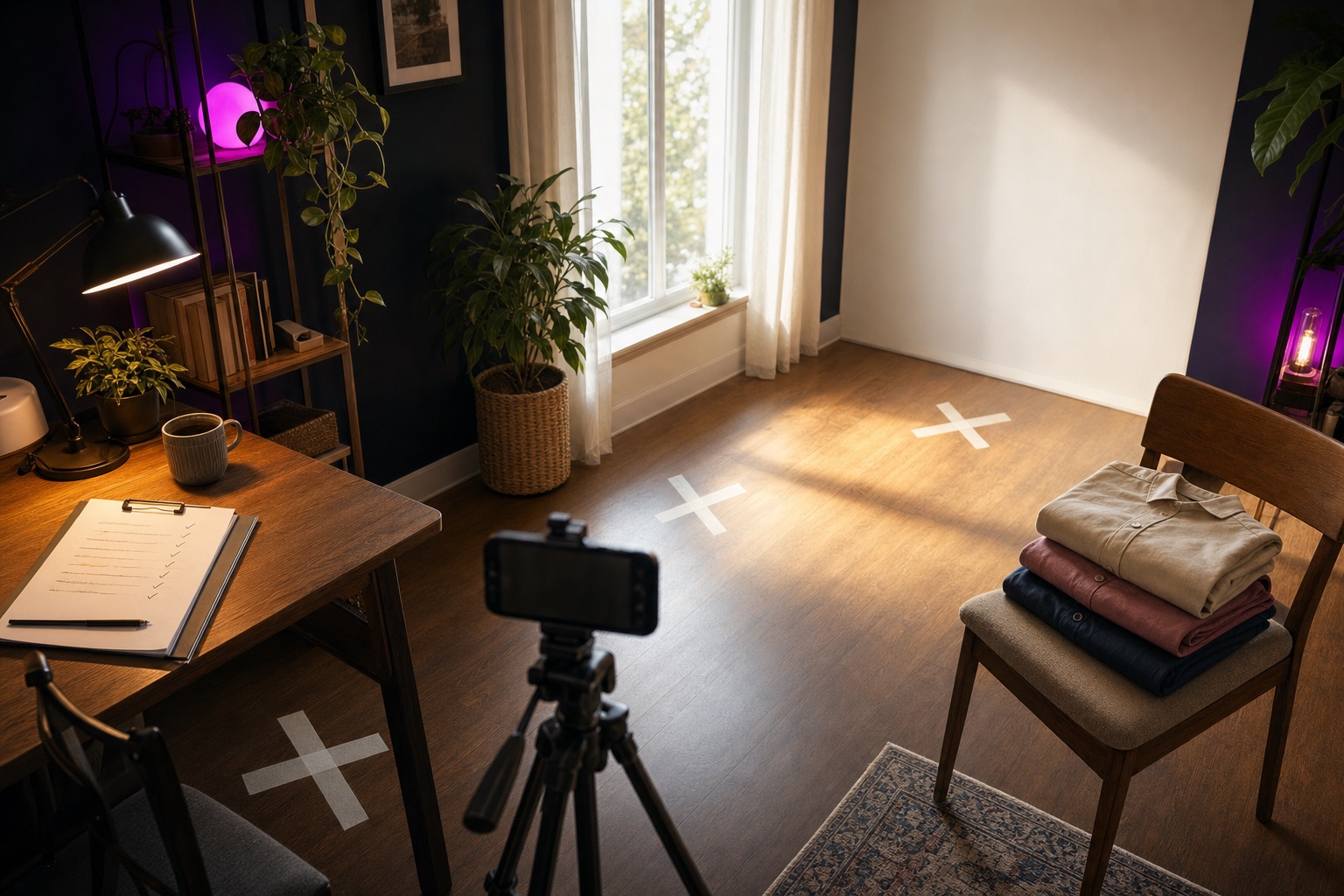
A small room set up for a shoot day: a phone on a tripod, three taped marks on the floor, a clipboard of scripts on the desk, and three shirts folded on a chair.

You film in one order. People watch in another.

A script is a handful of beats. Filming them in order means moving the camera, the light and yourself every few sentences. So you stand at one camera spot and film every beat that lives there, across every script on the shoot. Then you move to the next spot.

That leaves a camera roll full of clips and the job of working out which one belongs where. Supershoot ties each take to its beat while you shoot. When the last spot is done, every script is ready to go back together in order.
What you film, spot by spot

  • AScript 1 beat 1, Script 1 beat 4, Script 2 beat 2
  • BScript 1 beat 3, Script 2 beat 1
  • CScript 1 beat 2, Script 2 beat 3

What you get back

  • Script 1Beat 1 from A, beat 2 from C, beat 3 from B, beat 4 from A
  • Script 2Beat 1 from B, beat 2 from A, beat 3 from C

What the app does today

I have it running on my own iPhone. Everything in this list works in that build.

  1. Scripts in, beats out

    Paste a script or open a text file. The app splits it into beats and gives each one a camera spot. One shoot can hold several scripts and several locations.

  2. A prompter at the lens

    The camera runs full screen with your script in a band along the top edge, close to the lens. A 3-2-1 countdown with beeps, then you read. A Bluetooth clicker or the phone's buttons start and stop each take, so your hands stay off the screen.

  3. The same look at every spot

    Exposure, white balance and focus lock when you set up a spot, and the lock comes back when you return to it.

  4. Retakes keep the last take

    Flub a line, step back one beat and say it again. The newest take of each beat is the one that counts. A take too short to be real never replaces a good one.

  5. Scripts back in order

    When every spot is done, each script is built from its kept takes in script order. The dead air between words is cut, and the finished video saves to your Photos.

  6. Captions from your script

    Captions use your script's spelling wherever it matches what you said, so brand names and trade words come out right. Ad-libbed words get captions too.

  7. A clip editor

    Open any assembled clip to take out gaps and filler words, then export it again.

  8. Camera and sound controls

    Choose the front, wide, ultra wide or telephoto lens, pick a microphone and watch its level meter, and export vertical or horizontal at the frame rate you shot.

Coming later

  • Editing beats and words after you import a script. The review screen is read-only today.
  • FCPXML export for editors who finish in Final Cut or DaVinci Resolve.
  • A ghost frame from your last take, to match your framing when you come back to a spot.
  • A public TestFlight beta, then the App Store.

On the phone

Screens from the current build, captured in the iOS simulator. The camera and a finished reel need a real phone, so they are not shown yet.

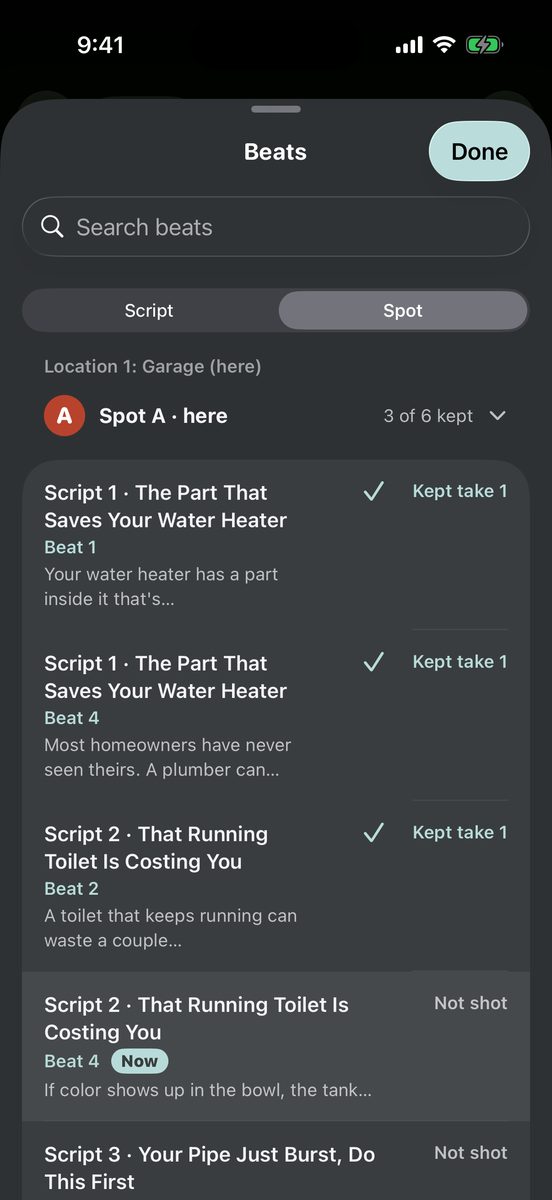
Supershoot beats list sorted by camera spot, with Spot A open, three kept takes checked and one beat marked Now
Beats sorted by camera spot, with kept takes checked and the current beat marked Now.
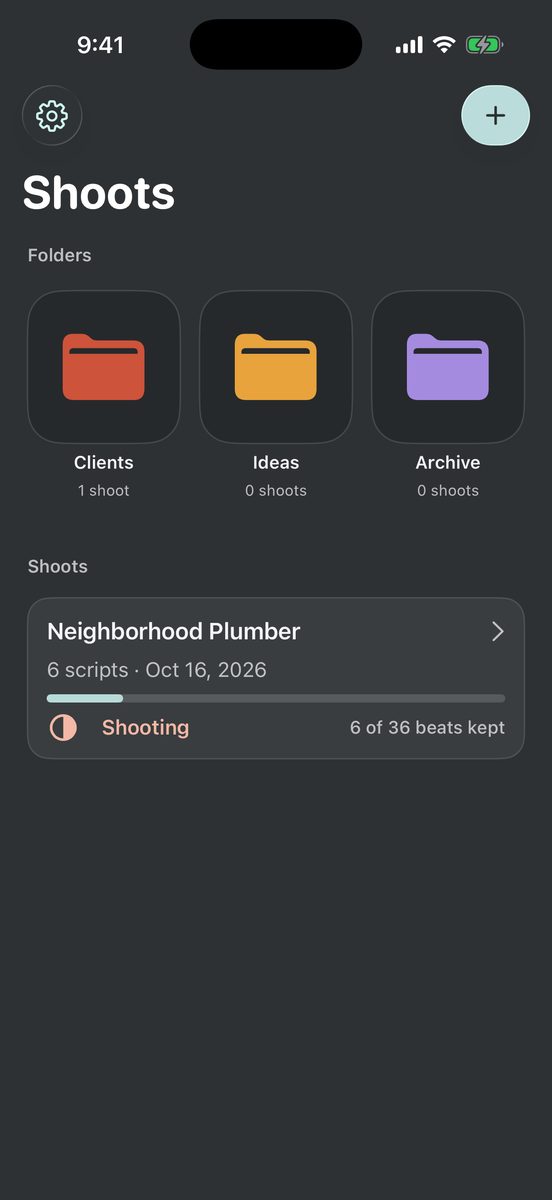
Supershoot home screen with Clients, Ideas and Archive folders and a Neighborhood Plumber shoot at 6 of 36 beats kept
The shoot list, with color folders and a plumber shoot at 6 of 36 beats kept.
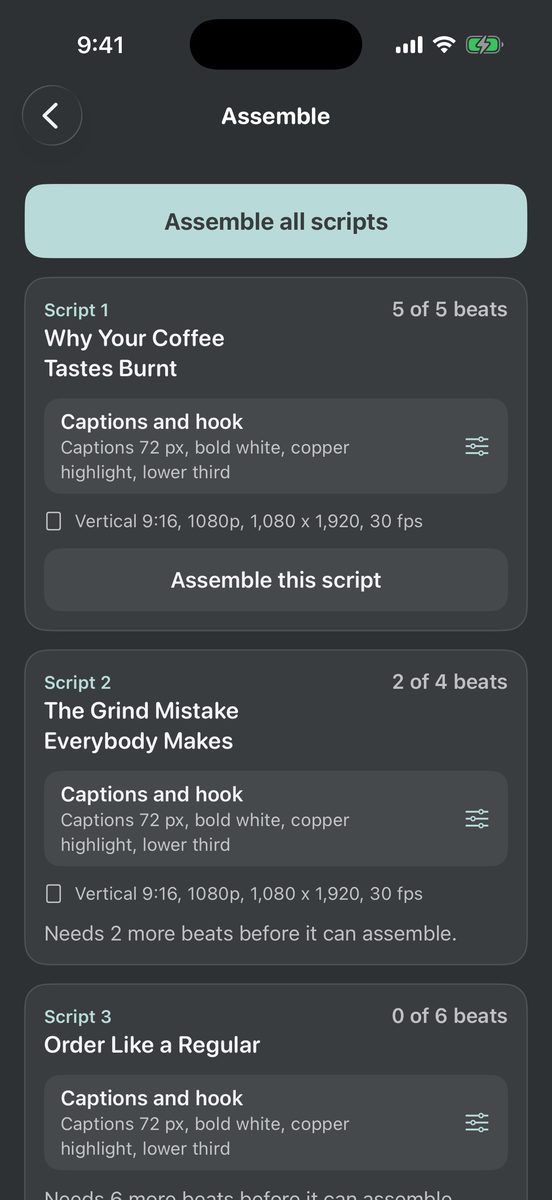
Supershoot Assemble screen with one card per script showing captions and hook settings, and a note that two scripts need more beats
The Assemble screen, with one card per script and a note when a script still needs more beats.

Get on the list.

I will email you when the app opens to testers. Pricing gets announced at launch.

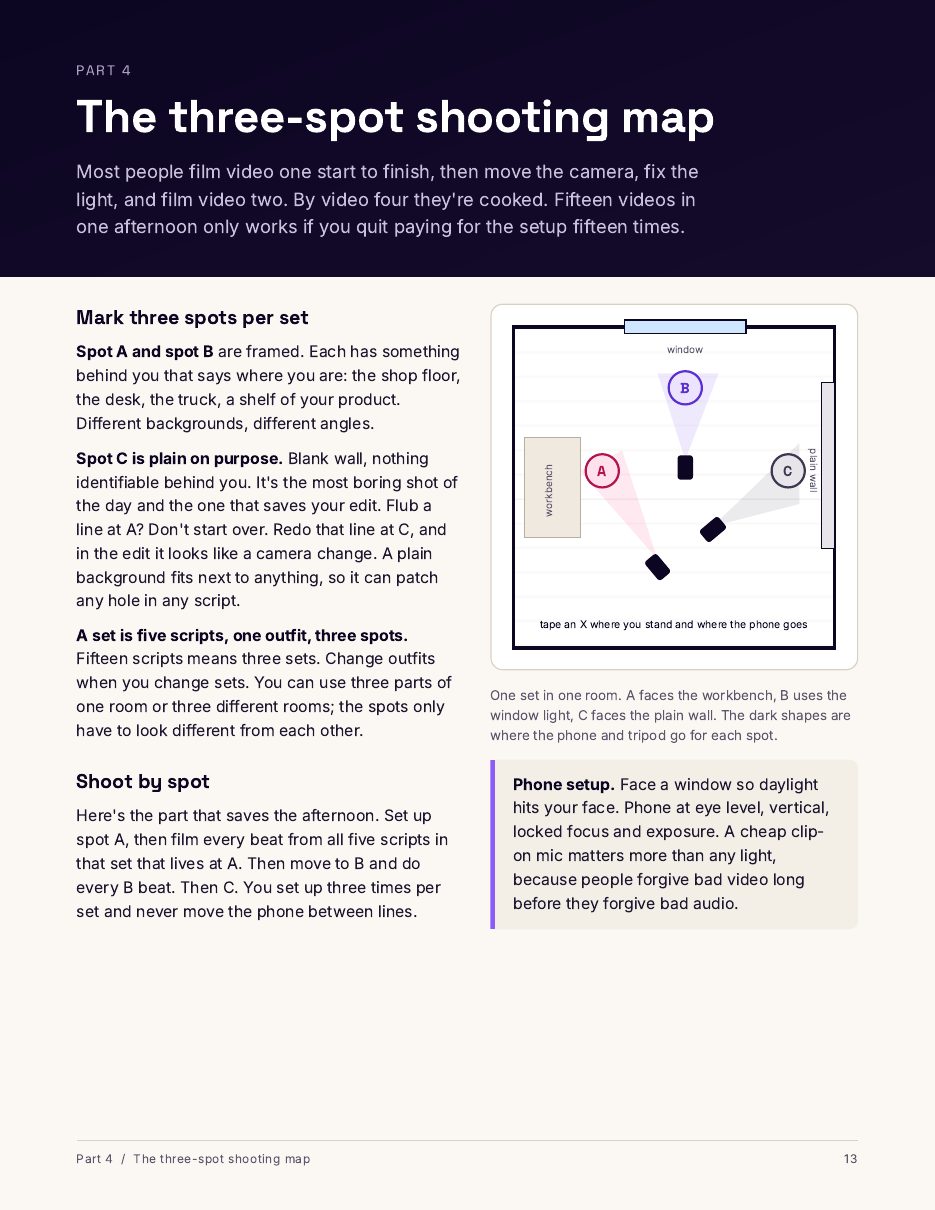
A page from the kit: a floor plan of three camera spots in one room.

Use the method today.Start with the method.

The One-Day Shoot Script Kit is the written version of everything above: the script template, the three-spot shooting map and the shoot day checklist I run for paying clients. It is $27 with an instant download.It launches at $27, and the kit page lets you leave your email to hear the day it goes on sale.

Everyone who buys the kit gets their first month of Supershoot free when the app launches.

See the kit